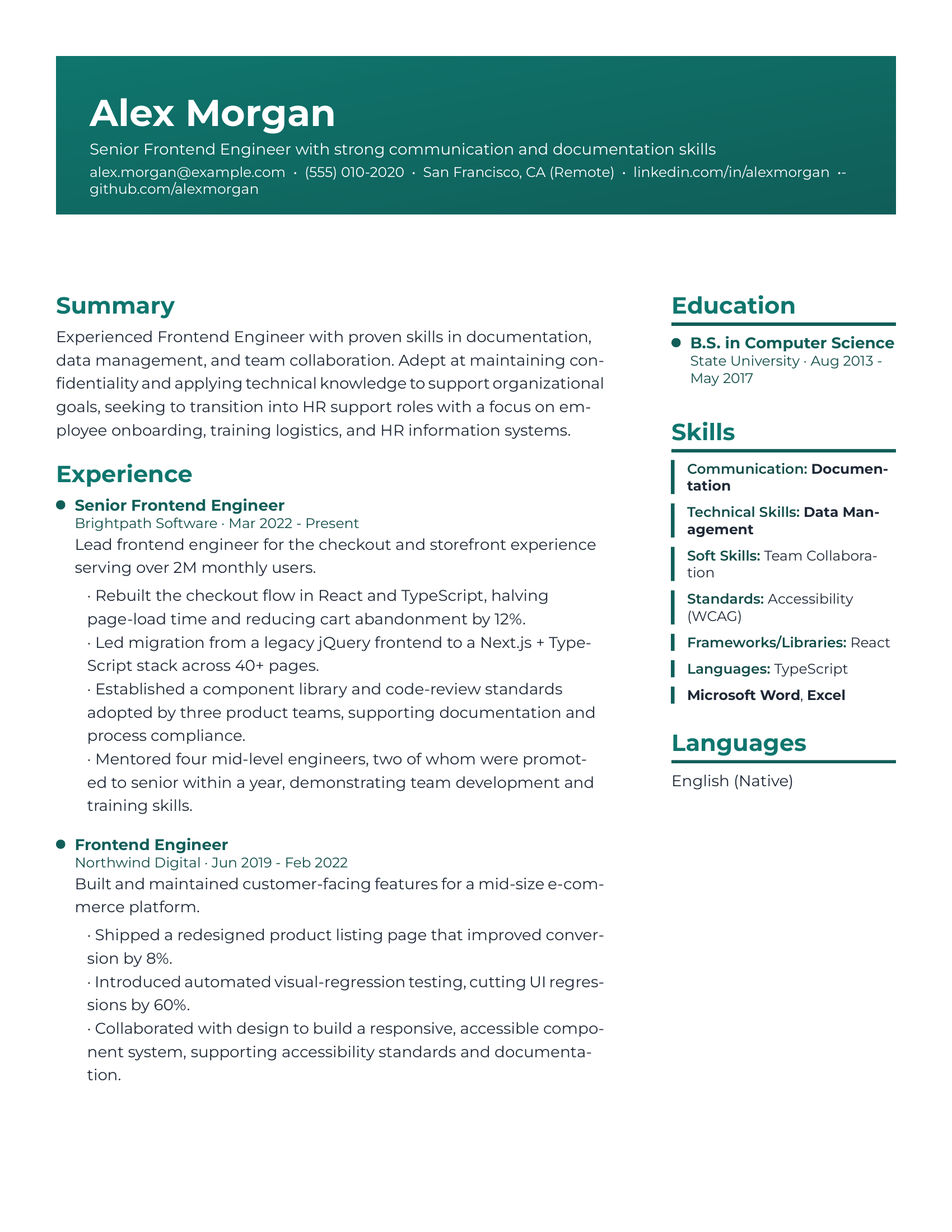
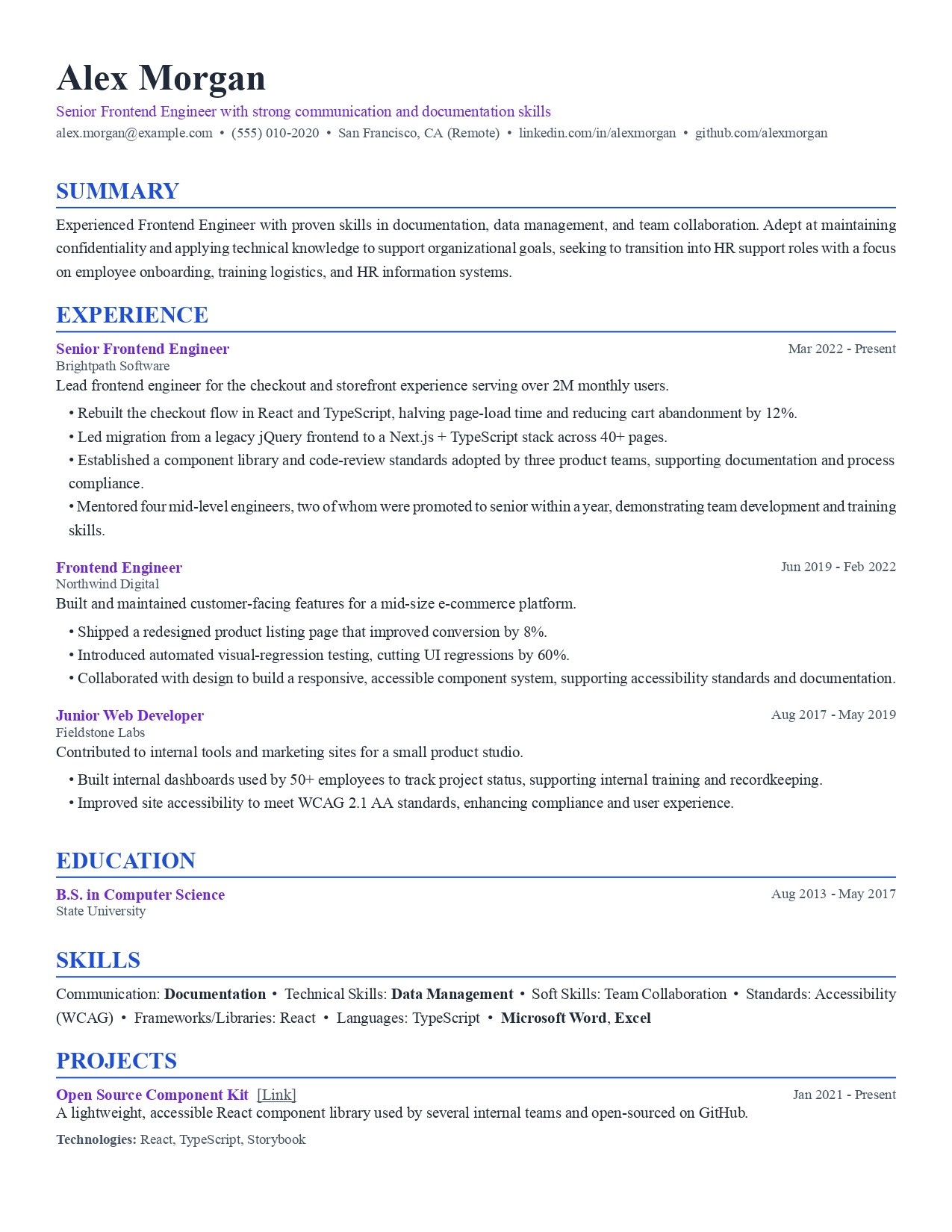
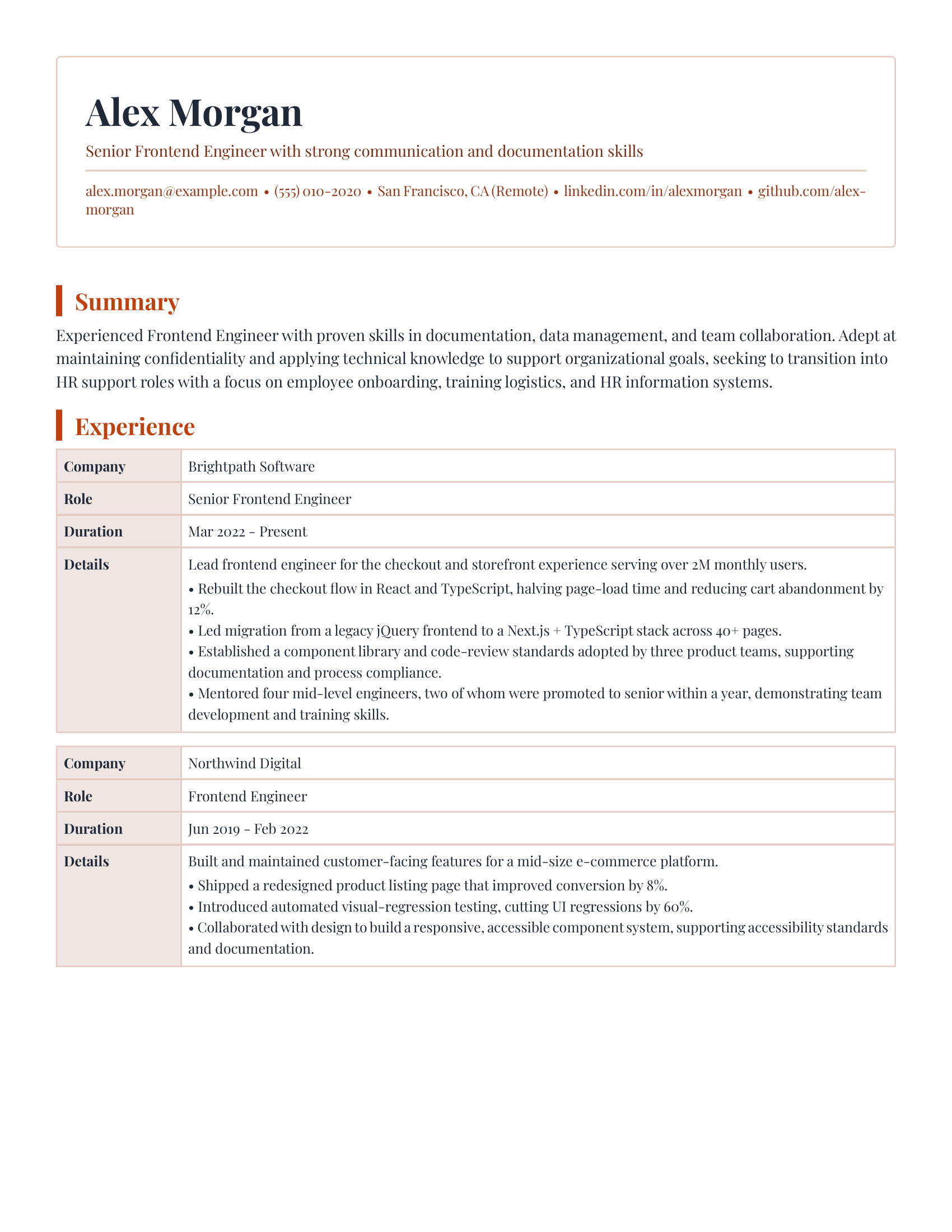
13 templates, restyled per job
Swap color, font, and layout per application: the same content, formatted for a startup or a bank.
Free · Open source · macOS, Windows, Linux
Paste a job description. Get a resume and cover letter written for that posting: matched to its keywords, checked for the requirements that quietly reject you, and edited by you before any of it leaves your machine.
Free forever · your own API key (a few cents per resume) or Ollama, fully offline
@@ features @@
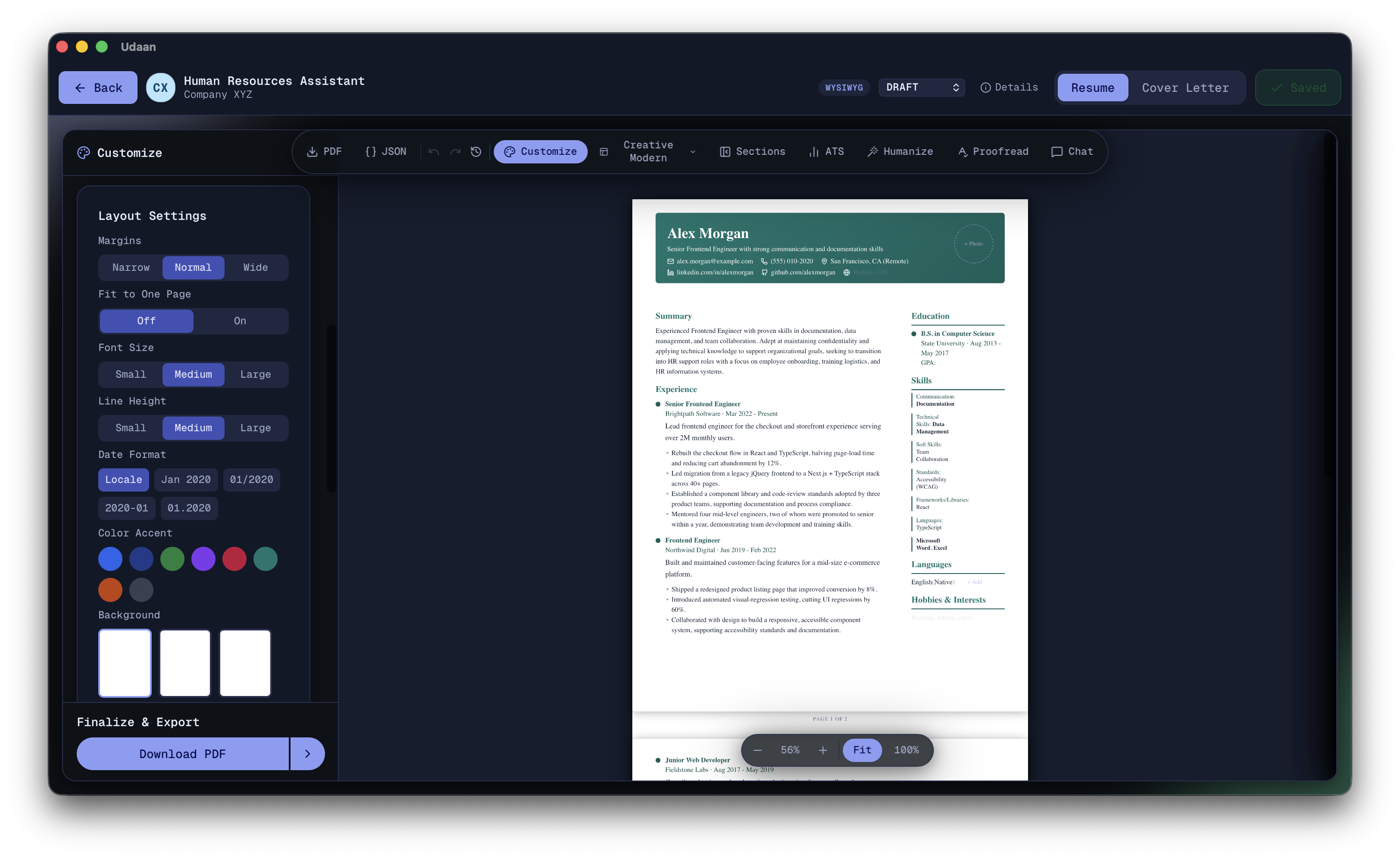
The inline editor is the resume. Click any line on the rendered page and type; what you see on screen is exactly what exports to PDF.
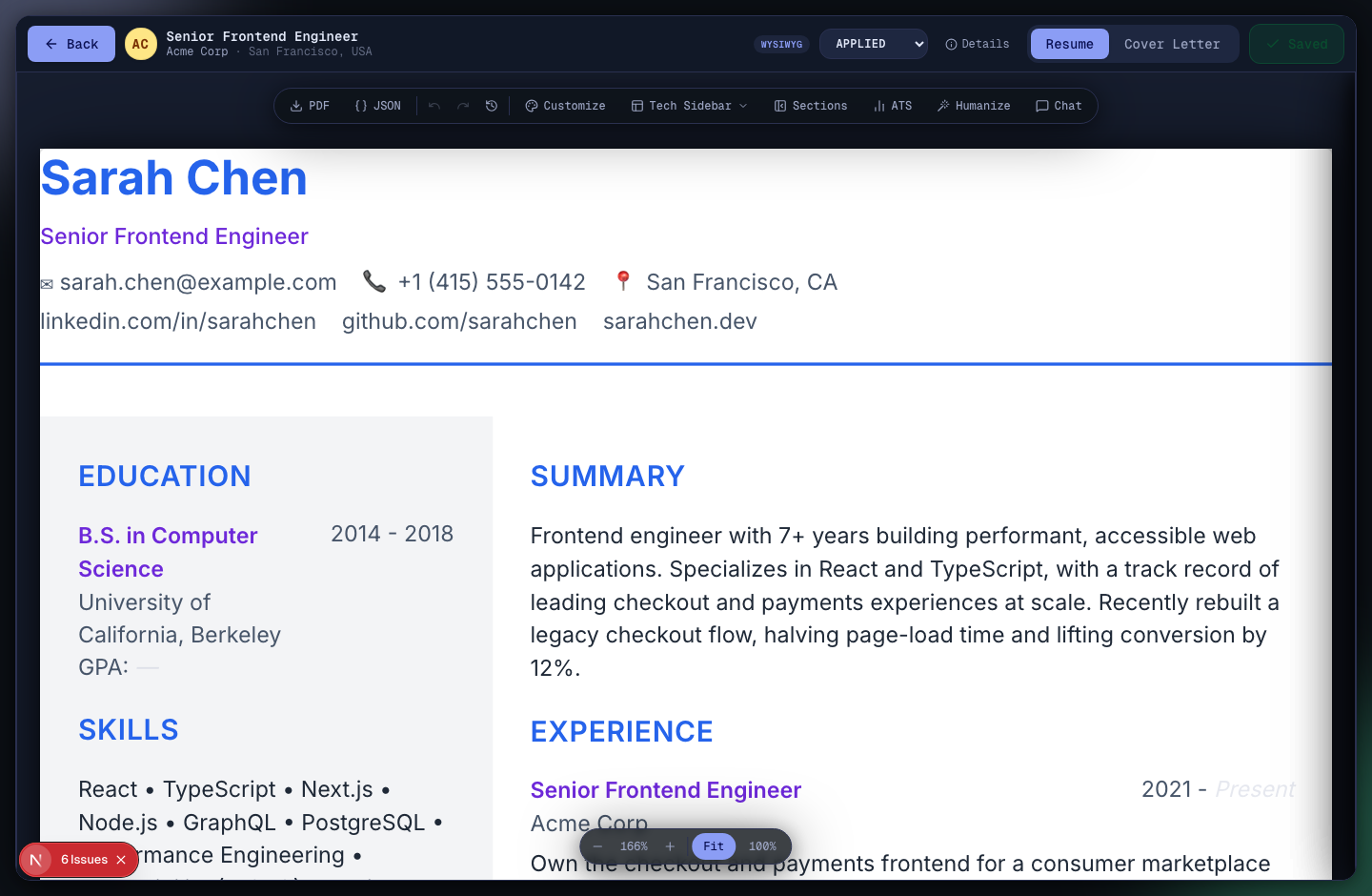
Ask the built-in assistant to rewrite a bullet, tighten your summary, or map the job's keywords onto your experience. It runs client-side through whichever provider you picked.
Spearheaded, leveraged, orchestrated, utilized, championed. Humanize hunts down the verbs that give an AI-written resume away, proposes a rewrite for each line, and waits for you to approve it. Nothing gets swapped without your say.
Bring an API key for any major provider, or point the app at a local Ollama model and skip keys entirely. Every AI call runs client-side and keys sit in encrypted local storage.
Each job keeps its own tailored resume, cover letter, and status from first draft to signed offer.
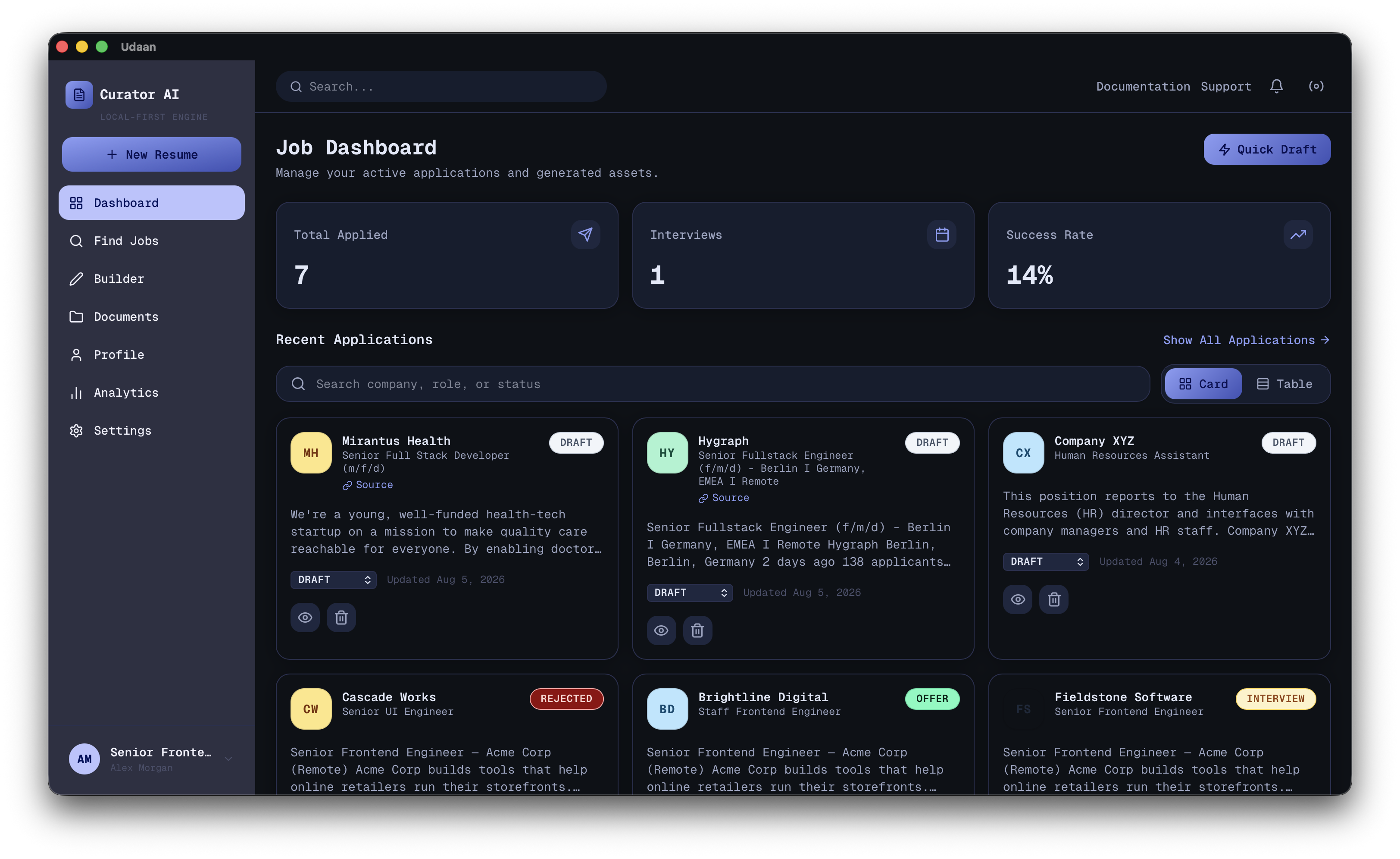
Swap color, font, and layout per application: the same content, formatted for a startup or a bank.
export
PDF or TXT, one click
Already formatted for the portal it lands in, no copy-paste cleanup.
startup
Opens instantly
A native Tauri window, not a bundled browser: no splash screen, no loading spinner.
runs offline
No account, no cloud
Point it at a local Ollama model and the whole pipeline runs on your machine.
@@ fit check @@
No algorithm scores your resume. Fit Check reads it against the job the way a hiring manager would, then says plainly whether you're a strong fit, a stretch, a reach, or a mismatch.
The verdict. Strong, stretch, reach, or mismatch. A straight answer on whether to apply, not a percentage.
Knockout risks. Work authorization, a required license, a location you can't work from — the things that end an application outright, rated by how likely each one is.
Gaps, then strengths. Missing experience, a seniority stretch, a domain mismatch, each with a next step. It closes with what you can actually back up.
@@ deep analysis @@
Fit Check answers whether to apply. Deep Analysis goes at the document itself, and every finding it returns points at the exact line that caused it.
correctness
Grammar, tense, punctuation
impact
"Improved performance," with no number behind it
keyword
A requirement the posting names and your resume never says
duplication
The same win claimed in two places
provenance
A line your base profile doesn't back up
title
Your latest title against the one they posted
The deterministic checks need no AI call and apply themselves. The rest arrive as a suggested rewrite, sitting on the line it replaces, waiting for you to take it or leave it.
@@ market conventions @@
A German Lebenslauf and a US résumé disagree about length, pronouns, photos, and how you state a language level. Udaan reads where the job is and follows that market's rules.
Your resume stays in whatever language you wrote it in. Only the conventions change, so an English CV aimed at Berlin reads as a Lebenslauf without being translated into one. There's a Euro Sidebar template and an Anschreiben cover-letter style to match.
@@ cover letters @@
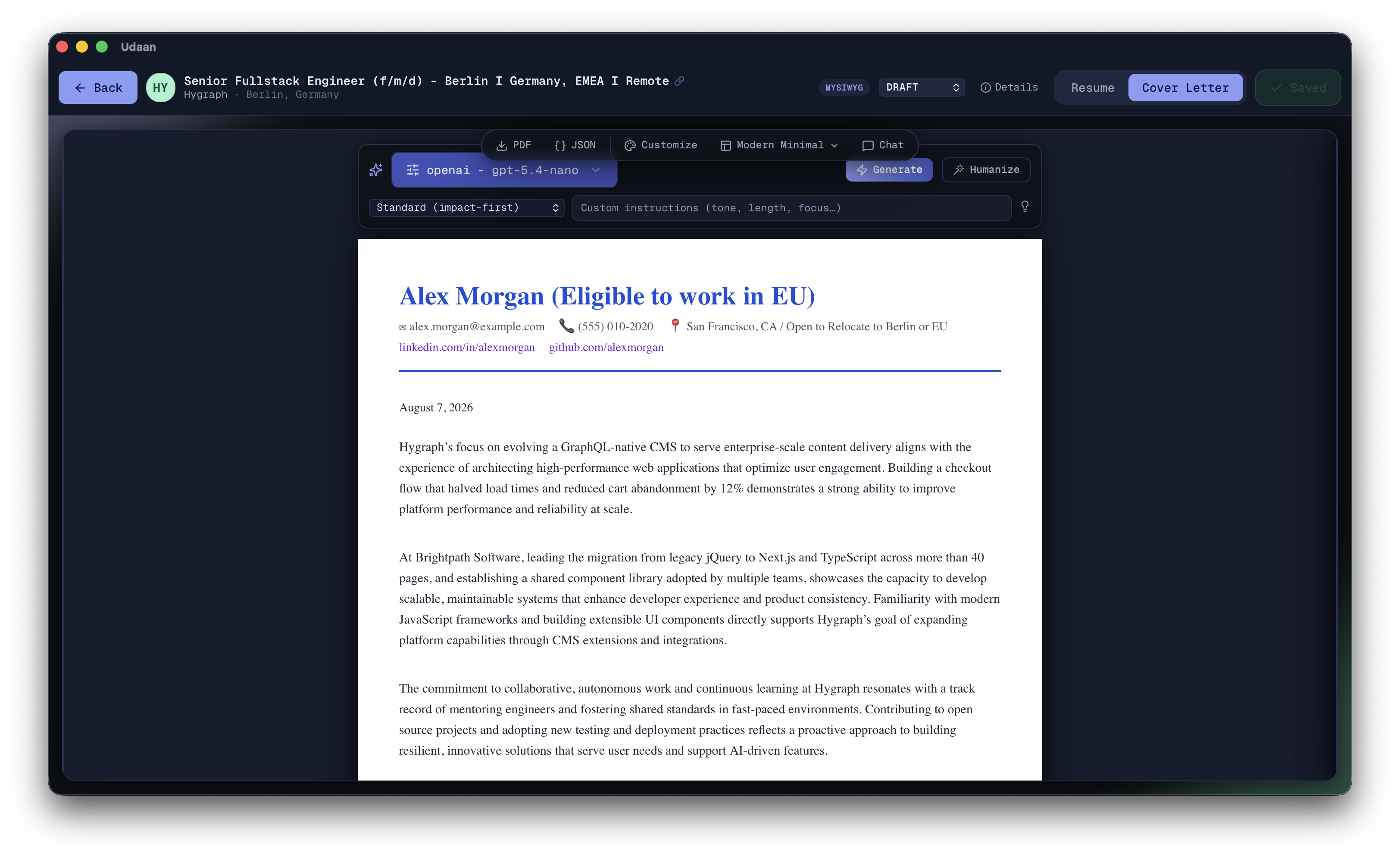
Generated from the same job and profile as the resume, with a tone and style you pick instead of the one paragraph everyone else pastes in.
@@ mcp server @@
Udaan also runs as an MCP server, so Claude Desktop or any MCP host can parse jobs, tailor resumes, and export files on the subscription you already pay for. No separate API key. Edits to your base profile go through a diff you approve first, so a model driving the app can't quietly rewrite your history.
available tools
claude_desktop_config.json
{
  "mcpServers": {
    "resume-builder": {
      "command": "<install>/resources/next/node-bin/node",
      "args": ["<install>/resources/next/mcp/stdio.js"]
    }
  }
}
The app's Settings page generates this snippet for your own install path.
@@ how it works @@
Your chosen model parses it client-side into structured requirements: skills, keywords, responsibilities.
The app rewrites your base profile into a resume and cover letter aimed at that specific role.
Chat with the assistant, "make this bullet about leadership," or click any line and edit it inline.
Download the PDF or TXT, send it off, and move the application from Applied toward Offer.
@@ comparison @@
You can, plenty of people do. Here's what that costs you against a purpose-built tool.
| + udaan | chatgpt copy-paste | online builders | |
|---|---|---|---|
| Tailored per job | + Yes | - Yes, manually, every time | - Mostly templates |
| Knockout risks flagged | + Yes | - No | - Often paywalled |
| German/EU CV conventions | + Yes, by default | - You have to know to ask | - US format only |
| Your data | + Stays on your machine | - Sent to OpenAI | - Stored on their servers |
| Tracks applications | + Yes | - No | - Paid tiers only |
| Cost | + Free + your own API key | - Subscription | - $10 to $30 a month |
| Formatting | + PDF/TXT, WYSIWYG editor | - You rebuild it by hand | - Locked to their templates |
@@ faq @@
A few cents per resume with most providers, paid directly to them at their rates. Or skip keys entirely and run a local Ollama model for free.
Yes. Point it at a local Ollama model and every AI call happens on your machine, with no network request and no account.
Only the text you send to whichever AI provider you chose, the same as pasting into ChatGPT. Your profile, jobs, and resumes live in a local SQLite database that Udaan never uploads.
Yes. The PDF export uses standard text layout instead of images or exotic fonts, which is what most ATS parsers choke on.
It rewrites your base profile rather than inventing one. Every AI edit is a suggested change you review before it's applied, so nothing exports without you seeing it first.
Udaan is self-signed rather than paid-publisher signed, so macOS and Windows show a one-time warning for any app outside their stores. See the note below the download button for the two-click fix.
@@ download @@
Free forever · MIT licensed · no subscription, no sign-up, no cloud storage
First launch: Udaan is open-source and self-signed, not paid-publisher signed, so macOS says "cannot be verified" and Windows shows SmartScreen once. On macOS right-click the app → Open; on Windows clickMore info → Run anyway.More info